
Xbox Series S Overheating Repair in Leeds: Common Causes and Fixes

Xbox Series S Overheating Repair in Leeds: Common Causes and Fixes
An Xbox Series S that overheats can quickly interrupt your gaming. The console may feel very hot, the fan may become louder than normal, or the system may shut down during gameplay. If this keeps happening, you may need Xbox Series S Overheating Repair in Leeds.
At Ultimate Repairs, we help customers across Leeds with Xbox overheating problems, HDMI faults, power issues, storage faults, software problems and other console repairs. Overheating can happen for several reasons, including dust build-up, blocked airflow, fan faults, poor ventilation or internal cooling problems.
If your Xbox Series S keeps switching off, warning you about heat, or struggling during long gaming sessions, it is best to get it checked. Repeated overheating can put stress on internal parts and may lead to more serious damage if ignored.
Why Does an Xbox Series S Overheat?
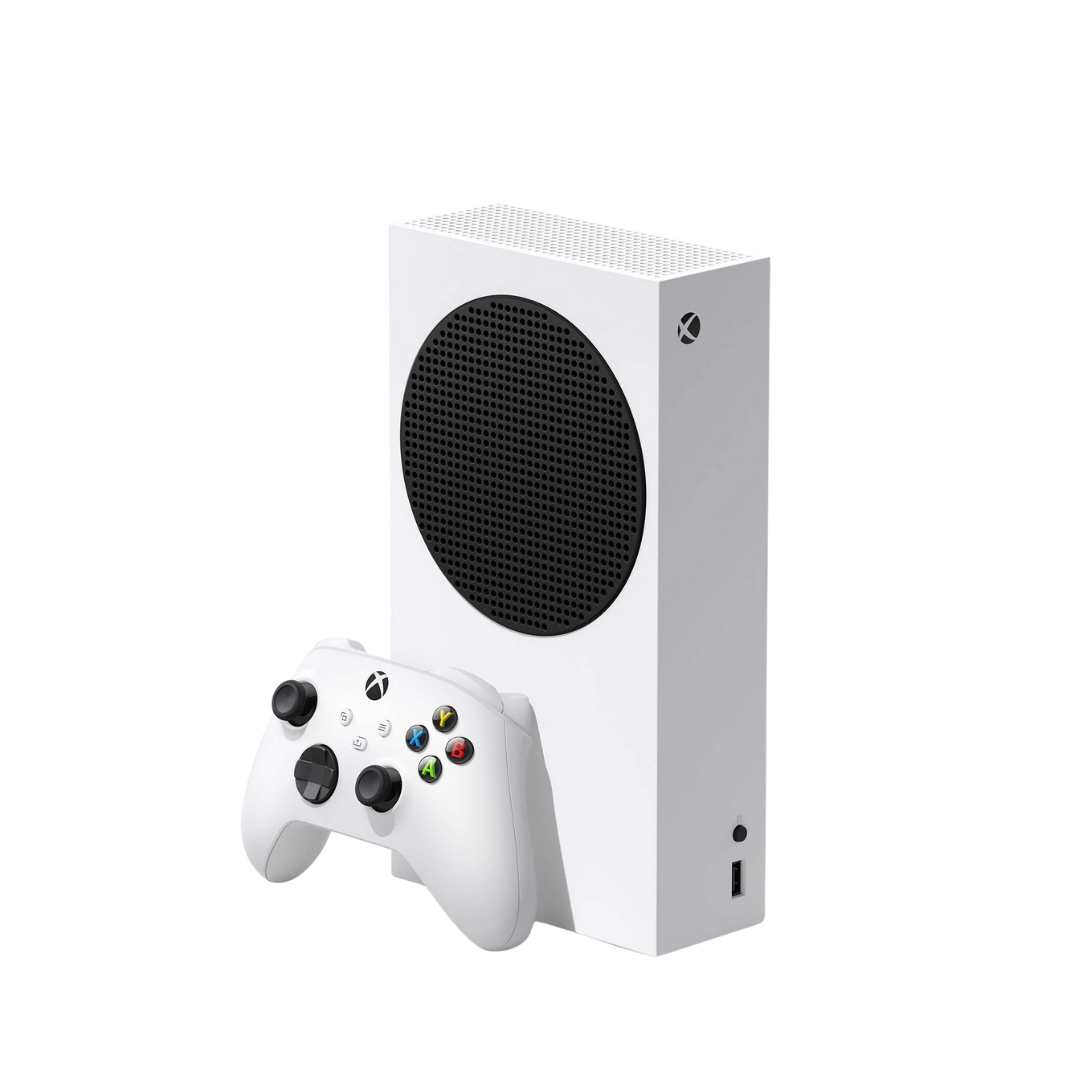
The Xbox Series S is compact and powerful. Because it is smaller than many other consoles, it relies on good airflow to keep internal temperatures under control. When the cooling system is clean and working properly, the console should manage heat well during normal use.
Over time, dust, pet hair and debris can collect around vents and inside the console. If airflow becomes restricted, the heat cannot escape properly. This can make the fan work harder and cause the console to run hotter than normal.
You may need Xbox Series S Overheating Repair in Leeds if the console feels hot even in a well-ventilated space, shuts down during games, or becomes noisy shortly after startup.
Common Signs Your Xbox Series S Is Overheating
Overheating faults do not always start suddenly. Sometimes the console becomes louder over time. Then it may begin to crash, freeze or shut down during more demanding games.
Common signs include:
The fan sounds louder than usual
The console feels very hot to touch
Games freeze or crash during use
The Xbox shuts down without warning
Heat warnings appear on screen
The console turns off during long sessions
The fan runs fast even on simple tasks
The console struggles more in warm rooms
If you notice these signs, you may search for Xbox Series S repair near me to find a local repair shop that can check the fault before it gets worse.
First Things to Check at Home
Before booking a repair, there are a few simple things you can check. Make sure your Xbox Series S is not inside a tight cabinet. It needs open space around the vents so air can move freely. Avoid placing it on carpet, soft fabric or near a radiator.
Check the area around the console for dust. You can gently clean the outside vents with a soft brush or cloth. Do not push sharp objects into the vents. Do not open the console unless you know what you are doing.
If the console still overheats after improving airflow, it may need a deeper internal clean or repair. Many people search for Xbox Repair near me after trying basic cleaning but still seeing the same shutdown or heat problems.
Xbox Series S Fan Repair Leeds: Is the Fan the Problem?
The fan is a key part of the Xbox Series S cooling system. If the fan becomes blocked, weak, noisy or faulty, the console will struggle to remove heat. This can lead to loud fan noise, shutdowns and unstable performance.
You may need Xbox Series S fan repair Leeds if the fan sounds rough, does not spin properly, or becomes extremely loud very quickly. In some cases, the fan may not be faulty. It may simply be blocked by dust inside the console.
A proper diagnostic check can confirm whether the issue is the fan, the internal dust level, airflow restriction or another hardware fault.
Xbox Overheating Repair Leeds: Why Shutdowns Matter
When an Xbox Series S shuts down from heat, it is trying to protect itself. This safety shutdown helps reduce the risk of damage, but it is still a warning sign. If the console keeps reaching this point, the cooling system is not working as it should.
You may need Xbox overheating repair Leeds if your console powers off during games, especially when playing larger titles or after longer sessions. This issue can become more common in summer, when room temperatures rise and the console has to work harder to stay cool.
Ignoring the problem can make the fault worse. Internal heat can affect components over time, and repeated shutdowns can make the console unreliable.
Why Summer Makes Xbox Overheating Worse
Overheating repairs are often in higher demand during summer. Warm rooms, longer gaming sessions and poor ventilation can all make an existing cooling issue more noticeable.
If your Xbox Series S already has dust inside or weak airflow, hot weather can push it over the limit. You may notice that the fan is louder, games crash more often, or the console shuts down after a shorter time than before.
Booking Xbox Series S Overheating Repair in Leeds before the issue becomes severe can help reduce the risk of further damage and keep the console more reliable.
Can You Clean an Xbox Series S Yourself?
You can clean around the outside of the console safely. Keep the vents clear, wipe dust from the surface, and place the console somewhere open and stable. This helps airflow and can reduce heat build-up.
However, internal cleaning is different. The Xbox Series S has delicate parts inside. Opening it without the right tools can damage clips, cables or components. You may also miss dust that is trapped deeper inside the cooling system.
If the console is already overheating, shutting down or making unusual fan noise, a professional repair is safer. When searching for Xbox Series S repair near me, choose a shop that understands console cooling faults and can test the device properly.
What Happens During an Xbox Series S Overheating Repair?
The repair process starts with an inspection. The technician checks the console for heat issues, fan noise, airflow problems and signs of dust build-up. If needed, the console is opened carefully so the internal cooling system can be inspected.
Depending on the issue, the service may include internal cleaning, fan checks, cooling system cleaning, thermal inspection and testing. If a part is faulty, the repair options can be explained before further work is carried out.
After the repair, the console should be tested to make sure the fan works properly and the system behaves more normally during use.
Choose a 5-Star Repair Shop in Leeds
When your Xbox overheats, you want clear advice and careful repair work. A quick surface clean may not solve the issue if the internal cooling system is blocked or the fan is faulty.
Ultimate Repairs is a local 5-star repair shop based on Kirkstall Road, Leeds. We help customers with Xbox, PlayStation, Nintendo Switch, controller, phone, laptop and MacBook repairs. Our team focuses on honest diagnostics, fair pricing and reliable service.
If you search for Xbox Repair near me, it is worth choosing a repair shop that can properly inspect the console, explain the problem and offer the right solution.
Visit Ultimate Repairs for Xbox Series S Overheating Repair in Leeds
If your Xbox Series S is loud, overheating, showing heat warnings or shutting down during games, Ultimate Repairs can help. We provide Xbox Series S Overheating Repair in Leeds from our repair shop on Kirkstall Road.
Whether you need Xbox Series S fan repair Leeds, Xbox overheating repair Leeds, or you are searching for Xbox Series S repair near me, our local team is ready to help get your console running properly again.
Ultimate Repairs
392 Kirkstall Road, Leeds, LS4 2HQ
Call: 0113 300 3611
Website: www.ultimaterepairs.co.uk