

School Device Repair Services in Leeds: Complete Guide for Education Providers

Why Schools Need Reliable Device Repair Services
Technology now sits at the centre of everyday learning. From interactive classroom activities to online assignments and administrative systems, devices are essential for both students and staff. When those devices fail, the impact goes far beyond a simple inconvenience — lessons are interrupted, productivity slows down, and learning time is lost. That’s why having access to dependable school device repair in Leeds is vital for education providers of all sizes.
Across primary schools, secondary schools, academies, and colleges, thousands of devices are used daily. These include Chromebooks for student learning, laptops for teachers, desktop PCs for administration teams, and tablets for interactive learning. Because these devices are handled by multiple users and transported frequently, damage and technical issues are inevitable.
A single cracked screen, broken charging port, or failed battery can remove a device from circulation for days or weeks. For schools operating with limited spare devices, this creates disruption. When IT teams already manage networks, software updates, and digital learning platforms, they don’t always have time for hardware repairs. This is where trusted local repair services become essential.

Common Challenges Schools Face With Device Management
Schools face a unique set of challenges when it comes to managing IT hardware. Unlike business environments, school devices often experience heavier wear and tear because:
- Students carry devices between classrooms and home
- Devices are frequently shared
- Chargers, cables, and ports are under constant strain
- Accidental drops and liquid spills are common
- Software updates sometimes disrupt learning systems
Over time, these challenges lead to:
- Cracked or unresponsive screens
- Keyboards and trackpads that stop working
- Devices that no longer charge properly
- Systems slowing down or failing to boot
- Battery life dropping significantly
- Network connectivity problems
Without an effective support plan, these issues can result in expensive replacements and long downtime.
The Importance of Education-Focused Repair Support
Schools don’t just need device repairs — they need education IT support in Leeds that understands the pressures of term time. The right partner should provide:
- Fast turnaround times
- Clear communication and transparent pricing
- Repair reports for asset management
- GDPR-aware handling of data
- Collection and return options
A service tailored to schools helps minimise downtime, reduce costs, and keep students and staff connected.
What This Guide Covers
This guide explains the full range of repair services available for education providers, including:
- Chromebook repair in Leeds
- Windows laptop repair in Leeds
- iPad repair in Leeds and tablet repair in Leeds
- Desktop and staff device support
- Data recovery and software fixes
- Priority repairs and ongoing device health monitoring
Whether you manage a small primary school or a large secondary academy, this guide helps you understand what can be repaired, how the process works, and how to plan support for your devices.
Trusted local providers such as Ultimate Repairs support schools across Leeds by offering fast diagnostics, affordable repairs, and clear reporting that meets the needs of education environments.

Chromebook Repairs for Schools
Chromebook Repair in Leeds for Schools
Chromebooks are now one of the most widely used devices in education. They are affordable, lightweight, and integrate seamlessly with cloud-based learning platforms. Their simplicity makes them ideal for classroom environments, but heavy daily use means repairs are common.
Schools looking for Chromebook repair in Leeds typically require fast turnaround and reliable service to avoid disrupting student learning. Because Chromebooks are often purchased in large quantities, even a small failure rate can leave dozens of students without access to their devices.
Why Chromebooks Are Popular in Education
Chromebooks have become the go-to choice for many schools because they:
- Start quickly and are easy to manage
- Support cloud-based tools like Google Workspace
- Require minimal setup and maintenance
- Are more cost-effective than many traditional laptops
However, they are not immune to physical or technical faults. Common issues include cracked screens, damaged keyboards, broken charging ports, and battery failures.
Common Chromebook Issues in Schools
The most common Chromebook repairs in education settings include:
- Screen replacement – Cracks, dead pixels, or flickering screens often result from drops or pressure in school bags.
- Keyboard repair – Keys may become loose, sticky, or stop responding entirely.
- Charging port repair – Ports wear out quickly due to frequent plugging and unplugging.
- Hinge repair – Broken hinges can damage the screen and make the device unusable.
- Battery replacement – Batteries lose capacity over time, reducing usable hours.
- OS or software issues – Failed updates or corrupted systems can stop devices from booting correctly.
Repair vs Replace: Making the Right Decision
When managing dozens or even hundreds of Chromebooks, schools often face the question: repair or replace?
In most cases, repair is the more cost-effective and environmentally responsible option. Replacing a screen or battery can extend a Chromebook’s life by several years. Compared to purchasing new devices, this approach helps schools manage budgets while keeping students equipped with functional technology.
However, when multiple components fail at once, replacement may become the better option. A professional diagnosis helps determine the most cost-effective solution.
Turnaround Time Matters in Schools
Unlike personal device repairs, school device repairs must consider academic schedules. A fast turnaround reduces disruption to lessons and ensures students can continue learning without interruption.
Many schools rely on Leeds Chromebook repair services that offer priority turnaround during term time. This helps keep classrooms running smoothly and reduces pressure on internal IT teams.
When to Repair a Chromebook vs Replace It
Schools often face a difficult decision when a Chromebook breaks: repair it or replace it? The answer depends on the severity of the fault, the age of the device, and the cost of replacement compared to repair.
A Chromebook is usually worth repairing if:
- The screen is cracked but the device still powers on
- The keyboard has failed but the system works normally
- The charging port is loose or broken
- The battery drains quickly but the device still functions
- The operating system is corrupted or won’t update
In these cases, repair is usually faster and more cost-effective than replacing the entire unit. Many schools also prefer repair because it avoids reconfiguration time and reduces electronic waste.
Replacement may be the better option if the motherboard has failed or the device is severely water-damaged and multiple components are affected. Professional diagnosis helps schools make the right choice without unnecessary spending.
Why Chromebook Repairs Benefit Schools Financially
Chromebooks are deployed in large numbers across classrooms, meaning even small savings per device add up quickly. Choosing Chromebook repair in Leeds rather than replacement allows schools to:
- Extend device lifespan
- Reduce IT budgets
- Minimise procurement delays
- Keep classrooms fully equipped
For education providers managing dozens or hundreds of devices, cost-effective repair can result in significant savings over an academic year.
Windows Laptop Repairs for Schools
Windows Laptop Repair in Leeds for Schools and Colleges
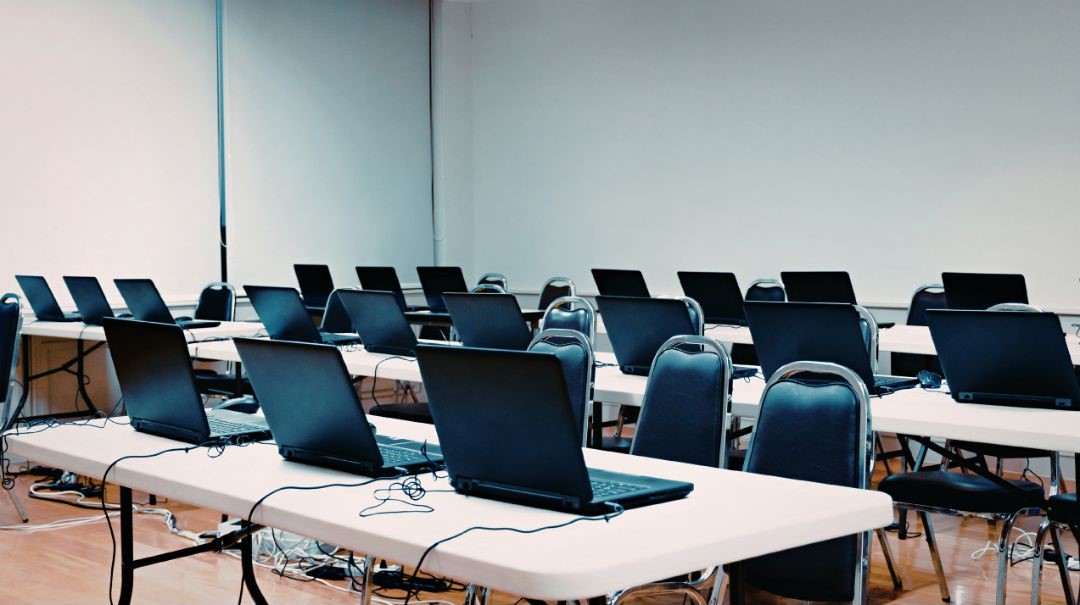
While Chromebooks are common in classrooms, Windows laptops remain essential for teachers, administrative staff, and specialist departments. They support advanced applications, office software, and subject-specific tools such as design, engineering, and business applications.
Because these laptops are often used for critical tasks, access to fast and reliable Windows laptop repair in Leeds is essential to avoid disruption to teaching and administrative operations.
Common Windows Laptop Brands Used in Education
Schools typically use a mix of devices from major manufacturers, including:
- HP
- Dell
- Lenovo
- Acer
- ASUS
- Microsoft Surface devices
Each brand has different hardware layouts, charging systems, and component configurations. This means accurate diagnostics and experienced technicians are crucial for effective repairs.
Typical Windows Laptop Repairs
Windows laptops experience a wide range of issues due to heavy daily use. Common repair services include:
- Screen replacement for cracked or faulty displays
- Keyboard and trackpad repairs
- Charging port repairs and power connector fixes
- Battery replacement
- Operating system reinstall or repair
- Wi-Fi and network troubleshooting
- Power and boot issue diagnostics
These repairs are common across both student and staff devices.
Screen, Keyboard and Trackpad Repairs
Broken laptop screens are one of the most frequent repair needs in schools. Laptops may be dropped, closed with objects inside, or damaged in transit. Professional screen replacement restores full functionality without the cost of replacing the entire device.
Keyboard and trackpad issues are also common. Keys can break, stop responding, or produce incorrect characters. Trackpads may become unresponsive or behave erratically. In many cases, these issues can be resolved with targeted component replacement.
Battery and Charging Port Issues
Laptop batteries naturally degrade over time, especially in devices used daily. When a laptop no longer holds a charge or powers off unexpectedly, battery replacement can restore normal performance.
Charging port issues are another common problem. Loose or damaged ports prevent charging and can sometimes damage the motherboard if left unresolved. Timely repair prevents further damage and extends device lifespan.
Software Recovery and Operating System Repairs
Not all problems are hardware-related. Many Windows laptops experience:
- Failed updates
- Operating system corruption
- Slow performance due to software issues
- Boot errors
Software recovery, driver updates, and operating system reinstallations can restore performance without hardware replacement.
Wi-Fi and Network Repairs
Connectivity problems can severely impact learning and administration. Common Wi-Fi issues include:
- Weak or unstable connections
- Network adapters not detected
- Driver conflicts after updates
Professional diagnostics can identify whether the issue lies with the network hardware, drivers, or system settings.
Staff vs Student Device Considerations
Student laptops are often exposed to more physical wear and tear, while staff devices typically hold more sensitive data and applications. This means:
- Student devices often require hardware repairs
- Staff devices may require data recovery or software support
- Staff devices demand stricter data protection
Understanding these differences ensures the right repair approach is taken.
Data Security During Repairs
Data protection is a major concern for schools. Devices may contain:
- Student records
- Staff documents
- Internal systems access
- Safeguarding information
Professional repair providers must handle devices securely and follow data protection best practices. This includes:
- Secure handling procedures
- No unauthorised access to data
- Clear repair reports
Providers such as Ultimate Repairs work with education providers to ensure data is handled responsibly during repairs.
Why Timely Laptop Repairs Matter
When a staff laptop fails, it can disrupt:
- Lesson planning
- Attendance systems
- Communication
- Administration
Fast, reliable laptop repair in Leeds ensures that staff can continue working without extended downtime.
Choosing the Right Laptop Repair Partner
Schools benefit most from repair partners who offer:
- Fast turnaround times
- Transparent pricing
- Experience with multiple brands
- Education-focused support
This ensures minimal disruption and long-term reliability.

iPad & Tablet Repairs for Schools
iPad Repair in Leeds and Tablet Support for Education Providers
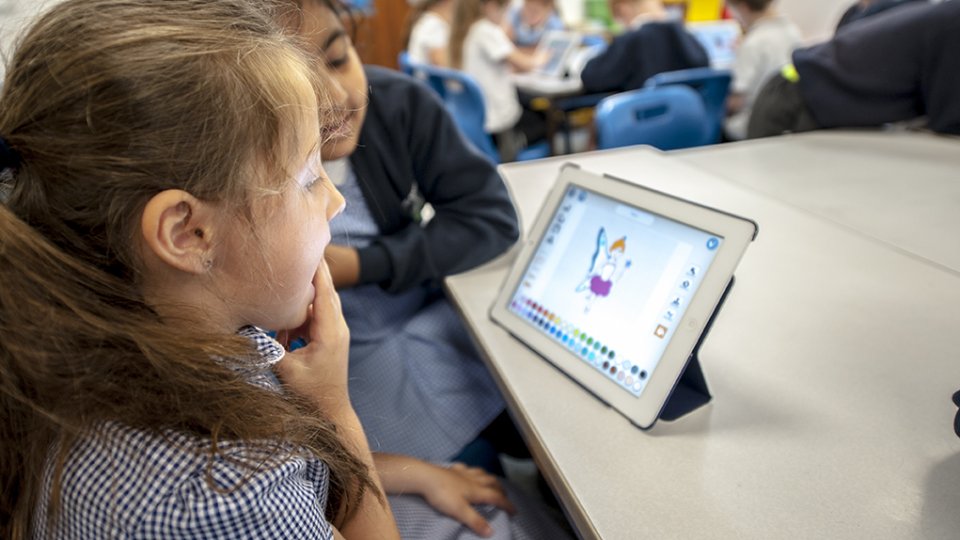
Tablets play an important role in modern classrooms. Many schools use iPads and Android tablets to support interactive learning, accessibility tools, and digital coursework. Their portability makes them ideal for students, but it also increases the risk of accidental damage.
Access to reliable iPad repair in Leeds and tablet repair in Leeds helps schools maintain device availability without the high cost of replacement. Because tablets are often deployed in large numbers, even a small percentage of faults can affect multiple students at once.
Why Tablets Are Widely Used in Schools
Schools choose tablets for several reasons:
- Easy-to-use interface for younger students
- Access to educational apps and learning platforms
- Lightweight and portable design
- Ideal for creative subjects such as art, music, and media
However, these same benefits can lead to increased wear and tear. Tablets are frequently carried between classrooms, used by multiple students, and sometimes handled without protective cases.
Common iPad and Tablet Repairs in Schools
Schools regularly require the following repair services:
Screen and Glass Replacement
Cracked or shattered screens are the most common issue. Tablets are often dropped or placed under pressure in bags, leading to broken glass or damaged displays. Professional replacement restores both the display and touch functionality.
Battery Replacement
Over time, batteries lose their ability to hold charge. Tablets that once lasted a full school day may begin shutting down early or requiring constant charging. Battery replacement extends device life and improves usability.
Charging Port Repair
Frequent charging leads to wear on the charging port. Ports may become loose, damaged, or stop working completely. Repairing the port ensures reliable power connection and prevents further damage.
Camera Repair
Tablets are often used for photography, scanning, and video-based learning. Camera faults can affect lesson delivery. Repairing or replacing the camera restores full functionality.
Speaker and Microphone Repair
Audio issues can disrupt online learning, video playback, and communication apps. Speaker or microphone repairs ensure students can fully engage with lessons.
Touch and Display Faults
Even when the screen is not cracked, touch issues can occur. These include:
- Unresponsive areas
- Ghost touches
- Delayed input
These faults are usually linked to the digitiser or internal display components.
Software Updates and System Fixes
Tablets may experience:
- Failed updates
- App crashes
- Slow performance
Software repair restores stability and ensures compatibility with school systems.
Water Damage Cleaning
Spills and moisture exposure are common in school environments. Water damage may not cause immediate failure but can lead to corrosion over time. Early cleaning improves the chances of recovery.
iPads vs Android Tablets in Education
Many schools use iPads due to their reliability and app ecosystem, while others prefer Android tablets for cost efficiency. Both require similar repair services, but component availability and repair complexity may differ.
Having access to both tablet repair in Leeds and Leeds tablet repair services ensures all devices can be supported regardless of brand.
Safeguarding Data on School Tablets
Tablets often store sensitive information, including:
- Student login details
- Coursework
- Photos and videos
- Educational app data
When devices are sent for repair, schools must ensure that data is handled securely. This includes:
- Protecting user accounts
- Avoiding unauthorised access
- Maintaining GDPR compliance
Professional repair providers follow strict handling procedures to protect school data during the repair process.
Minimising Downtime for Tablet Users
Because tablets are often used in group activities or shared environments, losing even a few devices can affect an entire class. Fast and reliable repair services reduce disruption and help maintain continuity in lessons.
Schools benefit from working with providers who understand education needs and can prioritise urgent repairs during term time. Providers such as Ultimate Repair support local schools by offering efficient turnaround and reliable diagnostics for tablet devices.
Desktop PC and Staff Device Support
PC Repair in Leeds for School Staff and Administration
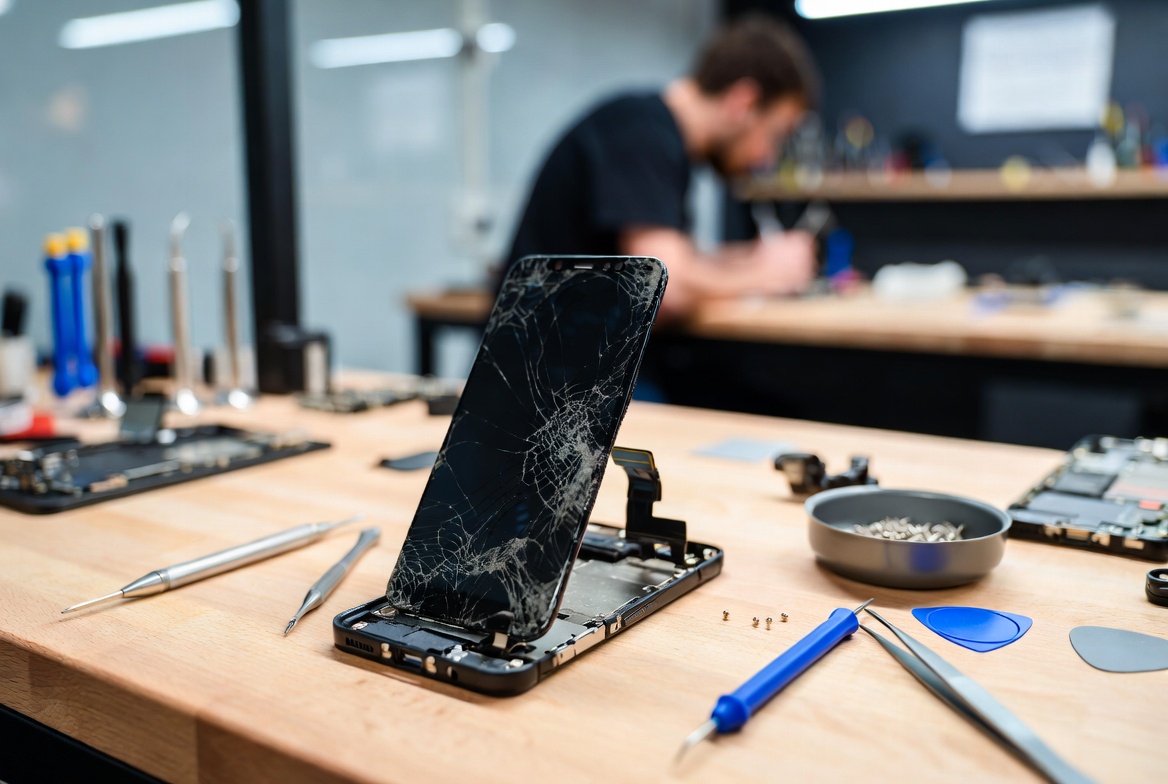
While student devices receive most attention, staff devices are equally critical. Teachers, administrators, and IT teams rely on desktop PCs and laptops to manage daily operations. When these systems fail, it can affect communication, scheduling, safeguarding, and overall school management.
Access to dependable PC repair in Leeds ensures that staff can continue their work without interruption.
Devices Covered in Staff Support
School staff typically use a range of devices, including:
- Teacher laptops
- Desktop PCs in offices
- Workstations in specialist departments
- Apple iMacs or Mac devices (in some schools)
These devices often run more complex software and store important data, making reliable repair support essential.
Common Desktop and Staff Device Repairs
Staff devices may require a wide range of services, including:
Screen and Display Repairs
Although less common than in student devices, display issues can still occur. Faulty monitors, damaged screens, or connection problems can prevent staff from working effectively.
Power and Boot Issues
Devices that fail to turn on or get stuck during startup can disrupt daily operations. These issues may be caused by:
- Faulty power supplies
- Motherboard issues
- Corrupted operating systems
Professional diagnostics help identify the root cause quickly.
SSD and Hard Drive Replacement
Storage devices can fail over time. Traditional hard drives may become slow or develop faults, while SSD upgrades can significantly improve performance.
Replacing or upgrading storage improves speed and reliability, especially for administrative tasks.
RAM Upgrades
Older devices may struggle with modern software. Increasing RAM can improve performance and extend the life of existing equipment.
Operating System Repairs
System crashes, update failures, and corrupted files can all affect productivity. OS repair or reinstall ensures systems run smoothly.
Virus and Malware Removal
Security threats can compromise school systems. Removing viruses and malware protects sensitive data and restores system performance.
Data Recovery
In cases where devices fail completely, data recovery may be required. This is especially important for staff devices storing critical school information.
Overheating and Fan Repairs
Dust build-up and worn cooling systems can cause devices to overheat. This leads to slow performance, unexpected shutdowns, and long-term damage. Cleaning and fan repair restore safe operating conditions.
Why Staff Device Repairs Matter to School Operations
Staff devices are central to daily school operations. Teachers depend on laptops for lesson planning, digital whiteboards, attendance systems, and student assessments. Office staff rely on desktops and workstations for scheduling, payroll, and compliance reporting. When these systems fail, productivity drops immediately.
Unlike student devices, staff computers often store sensitive information, including:
- Student records
- Staff information
- Financial data
- Internal communications
Because of this, repair work on staff devices must prioritise:
- Data security
- Fast turnaround
- Reliability after repair
This is why dependable PC repair in Leeds is essential for education providers.
Business Continuity and Device Reliability
When a staff computer fails, the impact goes beyond inconvenience. It can affect:
- Communication with parents and staff
- Administrative deadlines
- Compliance processes
- Safeguarding systems
Quick access to professional computer repair in Leeds ensures that schools avoid extended downtime and maintain smooth daily operations.
When Repair Is the Best Option
In many cases, repairing a desktop or staff laptop is more cost-effective than replacement. Examples include:
- Replacing a failed hard drive instead of buying a new computer
- Upgrading RAM to improve performance
- Repairing a power supply rather than replacing the whole unit
These repairs extend the useful life of devices while controlling costs.
Service Features & Benefits for Schools
Why Schools Choose Specialist Device Repair Services
Schools need more than standard repair services. They require structured processes, clear reporting, and dependable turnaround times. Education-focused services are designed to support schools during term time and minimise disruption.
This is where providers like Ultimate Repairs offer dedicated support tailored to education environments.
FREE Device Diagnosis: What It Includes
Before any paid repair work begins, devices undergo a full diagnosis. This allows schools to understand the exact issue and associated costs.
Diagnosis typically includes:
- Hardware testing
- Battery health checks
- Charging and power inspections
- Internal component checks
- Liquid damage assessment
- Software and operating system scans
Providing a diagnosis first helps schools make informed decisions and avoid unnecessary spending.
24-Hour Priority Repair Service
Some issues cannot wait. Devices used in classrooms or by key staff may require urgent attention. A 24-hour priority repair service ensures:
- Faster turnaround
- Reduced downtime
- Continuity of learning
This service is particularly useful during exam periods or when key administrative systems are affected.
Transparent Pricing and Approval Process
Schools must manage budgets carefully. Transparent pricing ensures that:
- No work begins without approval
- Costs are clearly explained upfront
- There are no hidden charges
Schools receive a quote after diagnosis and approve repairs before any chargeable work is carried out. This supports financial planning and accountability.
Repair Reports for School Records
Every repair is documented. Repair reports typically include:
- Device identification
- Fault description
- Work carried out
- Parts replaced
- Final test results
These reports support:
- Asset tracking
- Audit requirements
- Insurance claims
- Internal IT records
Collection and Return Service
Managing transport of devices can be challenging for schools. Collection and return services reduce workload for staff and ensure devices are handled securely.
This service is particularly helpful for:
- Bulk repairs
- Large deployments
- Schools without dedicated IT transport
Collection is available across Leeds and surrounding areas.
Safeguarding and Data Assurance
Data protection is critical in education. Devices may contain personal data, sensitive records, or access to secure systems. Repairs must be carried out with care to prevent data breaches.
Key safeguards include:
- Secure handling procedures
- Limited access to data
- Compliance with GDPR principles
- Clear documentation of work
These measures protect both schools and students.
Education-Friendly Turnaround Times
Timing matters in schools. Repairs are prioritised to align with academic schedules, helping ensure that:
- Class devices are returned quickly
- Staff equipment is available when needed
- IT teams can plan replacements or redeployment
Faster turnaround times support continuous learning and reduce pressure on school resources.
Managing Budgets Through Repair
Budgets in education are often limited. Repairing devices instead of replacing them allows schools to:
- Reduce IT spending
- Extend device lifespan
- Invest savings elsewhere
For example:
- Replacing a screen costs significantly less than a new device
- Upgrading storage can revitalise older laptops
- Battery replacement restores usability
This approach is both cost-effective and environmentally responsible.
Supporting Sustainable IT Practices
Repairing devices contributes to sustainability goals by:
- Reducing electronic waste
- Lowering carbon footprint
- Extending product lifecycles
Many schools aim to meet environmental targets, and repair plays an important role in achieving this.
Flexible Support for Different School Needs
Schools vary in size and structure. Some may need occasional repairs, while others require ongoing support for hundreds of devices. Flexible service options allow schools to:
- Repair devices as needed
- Arrange bulk repairs
- Set up ongoing support arrangements
This flexibility ensures that services align with each school’s specific needs.

How the School Device Repair Process Works
A Clear, Four-Step Repair Process for Schools
Schools benefit most from a structured repair process. A predictable workflow reduces downtime, keeps IT teams informed, and ensures accountability. The process used for school device repair in Leeds is designed to be simple, transparent, and education-friendly.
Step 1 – Log the Device
Schools can begin by:
- Providing a list of devices requiring repair
- Sharing serial numbers or asset tags
- Dropping devices off or arranging collection
This allows technicians to log each device correctly and prepare for diagnosis. For bulk repairs, device lists help streamline processing and reduce administrative delays.
Step 2 – Diagnosis and Quote
Every device undergoes a detailed inspection before any repair work begins. This step includes:
- Identifying the exact fault
- Testing hardware and software components
- Checking battery health and charging systems
- Inspecting for physical or liquid damage
Once diagnosis is complete, a clear quote is provided. No chargeable work begins until the school approves the repair. This ensures full transparency and budget control.
Step 3 – Repair and Testing
After approval, repairs are carried out using high-quality parts and professional techniques. This may include:
- Component replacement
- Internal cleaning
- Software recovery
- System upgrades
Once repairs are completed, devices are fully tested to ensure reliability. This includes performance testing, charging checks, and system stability verification.
Step 4 – Repair Report Issued
Each device receives a repair report detailing:
- The original fault
- Work carried out
- Parts replaced
- Test results
These reports support:
- Internal IT records
- Asset management
- Audit requirements
- Warranty tracking
What Schools Need to Provide
To ensure smooth processing, schools should provide:
- Device details (brand, model, serial number if available)
- Description of the issue
- Any relevant passwords or access details (where required)
- Contact details for approval and updates
Clear communication helps avoid delays and ensures repairs proceed efficiently.
Communication Throughout the Process
Regular updates are provided during diagnosis and repair. Schools are informed:
- When devices are received
- After diagnosis is complete
- When approval is required
- When repairs are finished
This ensures IT teams and administrators stay informed at every stage.
Typical Turnaround Times
Turnaround times vary depending on the type of repair. Common examples include:
- Screen replacements: often completed within 24–48 hours
- Battery replacements: typically completed within a day
- Software repairs: same-day in many cases
- Complex motherboard repairs: may take longer
Priority services are available for urgent repairs to minimise disruption.

Conclusion: Reliable School Device Repair in Leeds
Reliable technology is essential for modern education. From Chromebooks and tablets to staff laptops and desktop PCs, schools depend on devices every day. When those devices fail, fast and dependable support is critical.
Access to professional school device repair in Leeds helps schools:
- Reduce downtime
- Control costs
- Extend device lifespan
- Maintain continuity of learning
By choosing repair over replacement where possible, schools can manage budgets more effectively while also supporting sustainability goals.
Why Choose a Specialist Repair Partner?
Working with a repair provider that understands education needs offers clear advantages:
- Faster turnaround times
- Clear pricing and approvals
- GDPR-aware handling
- Repair reports for school records
- Support for both student and staff devices
Providers like Ultimate Repairs work closely with schools across Leeds to deliver practical, reliable support tailored to education environments.
Supporting All School Device Types
The services covered in this guide include:
- Chromebook repair in Leeds
- Windows laptop repair in Leeds
- iPad repair in Leeds and tablet support
- Desktop PC and staff device repair
- Data recovery and software repair
- Ongoing education IT support
This broad coverage ensures schools can rely on one trusted partner for all device types.
Flexible Support Options
Schools can choose the support model that suits them best:
- One-off repairs
- Bulk repairs
- Priority services
- Ongoing support arrangements
This flexibility ensures that support matches the needs and budgets of each school.
Get Started With School Device Repairs
Schools interested in repair services can take the next step by:
- Booking a free device diagnosis
- Arranging collection or drop-off
- Requesting a repair quote
- Discussing ongoing support options
Contact Details
📍 392 Kirkstall Rd, LS4 2HQ, Leeds
📞 0113 300 3611
Schools are encouraged to get in touch to discuss device repair needs, turnaround times, and support options.
Final Summary
This guide has outlined:
- Common device issues in schools
- Repair options for Chromebooks, laptops, tablets, and PCs
- The benefits of repair over replacement
- A clear, transparent repair process
- Why education-focused support matters
By choosing professional education IT support in Leeds, schools can reduce disruption, protect budgets, and keep students and staff connected.

Frequently Asked Questions About School Device Repair in Leeds
How long do school device repairs usually take?
Turnaround time depends on the type of repair. Simple issues like screen replacements, battery swaps, or charging port repairs are often completed within 24–48 hours. More complex repairs, such as motherboard diagnostics or data recovery, can take longer. Priority services are available for schools that need devices returned quickly during term time.
Is it more cost-effective to repair or replace school devices?
In many cases, repairing is far more economical than replacement. A new device can cost several hundred pounds, while repairs such as screen replacement, battery changes, or charging port repairs cost significantly less. Repairing extends the life of existing equipment and helps schools stay within budget.
Do you offer free diagnosis for schools?
Yes. A full diagnostic check is completed before any chargeable work begins. This includes testing the battery, charging system, screen, internal components, and software. After diagnosis, schools receive a detailed quote and only proceed once approval is given.
Can multiple devices be repaired at the same time?
Yes. Schools often send in batches of devices, especially after assessments or during term breaks. Bulk repair handling helps reduce downtime, supports consistent turnaround times, and allows for simplified invoicing and reporting.
Are repairs available for all major brands?
Repairs are available for a wide range of devices, including:
- Chromebooks
- Windows laptops
- iPads and tablets
- Desktop PCs and workstations
Common brands include HP, Dell, Lenovo, Acer, ASUS, Apple, and more. If you are unsure about a particular model, a quick assessment can confirm whether repair is possible.
What happens if a device can’t be repaired?
If a device is beyond economical repair, a clear report is provided explaining why. This may include details of severe liquid damage, motherboard failure, or parts unavailability. Schools can then make informed decisions about replacement or recycling.
How is student and staff data protected?
Data protection is a key priority. Devices are handled with care and access to personal data is avoided unless necessary for diagnostics. Processes follow data protection principles, and sensitive information is not accessed or stored without permission. Repair reports focus on hardware and functional status rather than personal data.
Do you provide collection and return services for schools?
Yes. Collection and return services are available for schools across Leeds and surrounding areas. This makes it easier to manage multiple repairs without requiring staff to transport devices.
Can repairs be carried out during school holidays?
Yes. Many schools choose to schedule larger repair projects during half terms or holidays. This minimises disruption and allows IT teams to prepare devices for the next term.
What types of Chromebook issues can be fixed?
Common Chromebook repairs include:
- Screen replacements
- Keyboard repairs
- Charging port fixes
- Battery replacement
- Hinge repairs
- Operating system recovery
These repairs help extend device lifespan and avoid unnecessary replacement costs.
Are repairs available for staff computers as well as student devices?
Yes. Staff laptops, desktop PCs, and administrative workstations can also be repaired. This includes power issues, storage upgrades, operating system repairs, and virus removal. Ensuring staff devices remain operational supports teaching and administration continuity.
How do I request a repair for school devices?
Schools can begin by sharing a list of devices and faults, booking a free diagnosis, or arranging collection. A clear quote is provided after inspection, and repairs begin once approved.
Do repairs include a report?
Yes. A repair report is provided for each device. This includes the fault identified, parts replaced, and confirmation of successful testing. These reports are useful for asset management and internal IT records.